

Tustin sits at the center of Orange County’s business corridor, surrounded by firms that need reliable technology without the overhead of maintaining their own server rooms. Cloud computing offers a practical path forward, but the choices are not always obvious.
This guide explains what business owners should understand before signing a cloud services agreement. The goal is to help you ask better questions, spot hidden costs, and choose an architecture that matches how your team actually works.
Key Takeaways
- Start with a clear inventory of which applications, files, and workflows actually need to move to the cloud.
- Understand the difference between public, private, and hybrid models before comparing vendor proposals.
- Security responsibility is shared: the provider secures the infrastructure, but you secure your data, access policies, and endpoints.
- Document your exit strategy before you sign, including data portability, backup ownership, and transition assistance terms.
What cloud computing means for a Tustin business
Cloud computing delivers computing resources, storage, and applications over the internet instead of from local servers. For a Tustin professional services firm, manufacturer, or healthcare office, this can mean accessing files from a job site, scaling up during busy seasons, or replacing an aging on-premise server with a monthly subscription.
The model shifts capital spending on hardware into operational spending on subscriptions. That flexibility appeals to growing businesses, but it also introduces ongoing costs that can outpace the original hardware budget if usage is not monitored.
Cloud Computing Evaluation Checklist for Tustin Businesses
- ✓Inventory all applications, file shares, and databases planned for migration: Complete before requesting proposals
- ✓Identify required compliance frameworks (HIPAA, PCI-DSS, CMMC, state privacy): Document and share with prospective providers
- ✓Verify provider offers business associate agreement or equivalent compliance contract: Required for healthcare and regulated industries
- ✓Confirm data residency options and available geographic regions: Match to your regulatory and latency requirements
- ✓Review encryption standards for data at rest and in transit: AES-256 and TLS 1.2 minimum
- ✓Document user access controls and multi-factor authentication requirements: Configure before go-live
- ✓Calculate total cost including compute, storage, data transfer, and support tiers: Project 12- and 36-month scenarios
- ✓Define rightsizing review schedule based on usage patterns: Quarterly or after significant business changes
- ✓Specify backup frequency, retention period, and recovery time objectives in contract: Align with business continuity plan
- ✓Require documented exit strategy with data export format and transition assistance: Negotiate before signature
Use this checklist during vendor evaluation and contract negotiation to ensure no critical requirement is overlooked.
Public, private, and hybrid cloud models explained
Public cloud places your workloads on infrastructure shared with other customers and managed by a provider. Entry costs are typically lower because you rent rather than buy, and scaling is rapid since the provider maintains excess capacity.
Private cloud dedicates infrastructure to your organization, which can be hosted on-premise or at a colocation facility. This model appeals to organizations with specific compliance requirements or workloads that need consistent performance without noisy neighbors.
Hybrid cloud combines both, letting you keep sensitive data in a private environment while bursting less critical workloads to public infrastructure. Many businesses land here after discovering that not every application belongs in the same place.

Security responsibilities in a cloud environment
Cloud security operates on a shared responsibility model. The provider typically secures the physical data centers, network infrastructure, and hypervisor layer.
You remain responsible for your data classification, access controls, endpoint protection, and user training.
Encryption is a standard practice for protecting data at rest and in transit, but implementing it correctly requires planning key management and understanding which encryption standards your industry expects.
Multi-factor authentication and role-based access control should be configured before migration, not after. These controls limit the damage of compromised credentials, which remain a leading cause of cloud data breaches.
Compliance considerations for Orange County industries
Healthcare providers in and around Tustin must consider how patient data will be handled in any cloud arrangement. The Health Insurance Portability and Accountability Act requires a business associate agreement with any cloud provider that stores, processes, or transmits protected health information.
Financial services firms face their own obligations under regulations that govern data retention, audit trails, and access logging. A cloud contract should explicitly address where data resides, who can access it, and how logs are maintained for examination.
California’s privacy laws add another layer, requiring businesses to disclose how consumer data is collected, used, and shared. Your cloud architecture should support these disclosures with clear data flow documentation.

Cost planning and avoiding surprise bills
Cloud pricing involves compute instances, storage tiers, data transfer fees, and support levels. A proposal that looks affordable at low usage can become expensive when data egress spikes or when you need premium support response times.
Flat-rate monthly plans exist for managed cloud services, where a provider bundles infrastructure, monitoring, and support into a predictable fee. This model helps with budgeting but requires understanding what happens when you exceed included usage thresholds.
Rightsizing should be performed regularly to match your provisioned resources to actual consumption. Idle instances, oversized databases, and forgotten test environments are common sources of waste that accumulate silently.

How GTI 24/7 supports cloud adoption for local businesses
GTI 24/7 offers cloud services as a core part of its IT solutions for small and medium-sized businesses, healthcare providers, and enterprises across Orange County. The company begins each engagement by investigating your specific business needs rather than selling packaged bundles.
Proactive monitoring and maintenance are included, identifying performance issues or security gaps before they interrupt operations. Remote support handles many technical questions without requiring an on-site visit, which keeps response times short for Tustin and surrounding cities.
GTI 24/7 provides flexible IT services that scale with your business, supporting new tools, cloud adoption, and expanding teams as your requirements evolve.
Latency and performance factors for Tustin-based operations
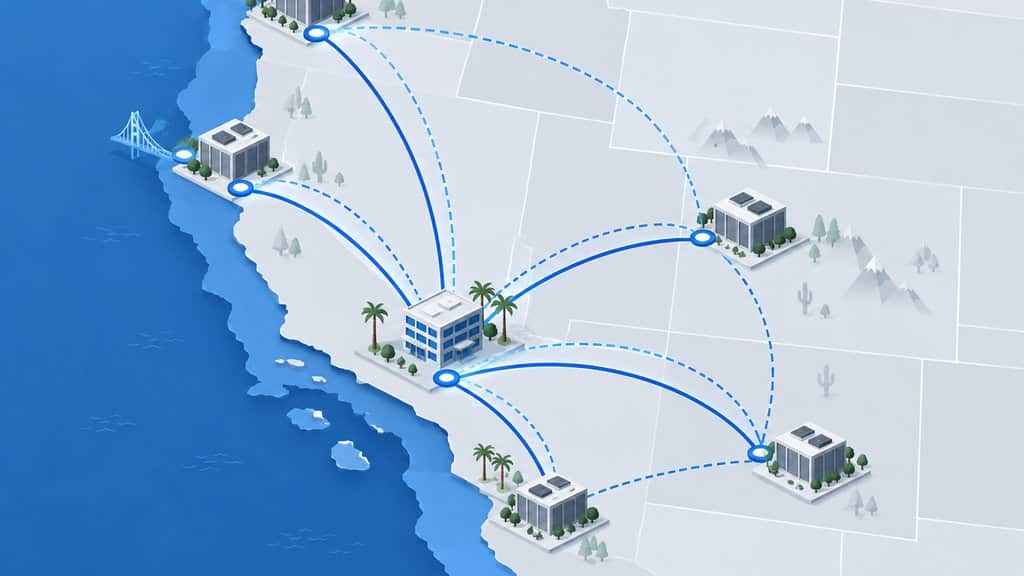
Physical distance between your office and cloud data centers directly affects application responsiveness. Businesses in Tustin should ask providers about their West Coast infrastructure presence and edge locations.
Orange County’s dense fiber network offers advantages, but not all cloud configurations leverage it equally. Proper architecture ensures your team experiences minimal lag during peak usage hours.
Database-heavy applications like ERP systems are especially sensitive to round-trip delays. GTI 24/7 designs local caching strategies that reduce unnecessary cross-country data travel.
Network path diversity matters when primary routes experience congestion. We implement intelligent traffic routing that automatically selects optimal pathways for your critical workloads.
Performance monitoring from the Tustin endpoint reveals issues invisible to provider-side dashboards. Our approach includes continuous measurement from your actual office locations, not just regional averages.
Bandwidth planning must account for cloud backup windows and software updates. Underestimating concurrent demand leads to throttled connections and frustrated employees during business hours.
Hybrid configurations let you keep latency-sensitive operations on local infrastructure. This balanced approach protects user experience while still capturing cloud scalability where it matters most.
Staff training and change management during cloud transitions
Technology migration succeeds only when people adapt effectively to new workflows. GTI 24/7 builds training programs specific to each Tustin client’s cloud environment and employee skill levels.
Resistance often stems from unclear answers about who to contact for support. We establish clear escalation paths so your team never feels abandoned when unfamiliar issues arise.
Documentation created during migration frequently becomes outdated within months. Our managed services include living documentation that evolves alongside your cloud configuration changes.
Shadow IT emerges when official tools feel cumbersome compared to familiar alternatives. We identify friction points early and adjust access methods or provide approved alternatives that maintain security boundaries.
Role-based training prevents overwhelming non-technical staff with irrelevant details. Executives need different guidance than accounting teams or warehouse managers, and our programs reflect those distinctions.
Pilot groups from different departments surface use-case problems before full rollout. This measured approach prevents organization-wide disruption when unexpected workflow gaps appear.
Post-migration check-ins at 30, 60, and 90 days catch adoption issues while still easily correctable. These structured touchpoints transform initial deployment into sustained operational improvement.
Integration challenges with existing on-premises systems
Most Tustin businesses cannot eliminate legacy infrastructure overnight. The transition period demands reliable connectivity between cloud resources and remaining on-site equipment.
Identity systems often create the most immediate integration friction. Single sign-on solutions must bridge modern cloud protocols with older authentication methods without creating security gaps.
File server migrations frequently break hardcoded paths in legacy applications. Our discovery process maps these dependencies before any data movement begins, preventing surprise failures.
Print infrastructure and specialized hardware represent common sticking points. Manufacturing equipment, medical devices, and industrial controllers may require persistent local connectivity that cloud-only approaches cannot satisfy.
API limitations in older software force creative middleware solutions. GTI 24/7 develops custom integration layers that extend useful life of proven systems while enabling cloud-native capabilities elsewhere.
Data synchronization between environments must handle conflict resolution gracefully. Without clear rules for which system wins when updates occur simultaneously, inconsistencies corrupt business records.
Network topology redesign often accompanies hybrid integration projects. We evaluate whether existing firewalls, VPN concentrators, and switching infrastructure can sustain new traffic patterns or require strategic upgrades.
Frequently Asked Questions
What is the difference between IaaS, PaaS, and SaaS?
Infrastructure as a Service gives you virtualized computing resources like servers and storage that you manage yourself. Platform as a Service adds development tools and middleware, so your team builds applications without managing the underlying infrastructure.
Software as a Service delivers fully managed applications like email or customer relationship management that you simply log into and use.
How do I know if my data is secure in the cloud?
Start by reviewing your provider’s security certifications and compliance attestations for your specific industry requirements. Then audit your own configurations: verify that encryption is enabled, access is limited to necessary personnel, logging is active, and multi-factor authentication is enforced for all administrative accounts.
Can I move my existing applications to the cloud, or do I need new software?
Many applications can be migrated as-is through a lift-and-shift approach, though this may not capture full cloud benefits. Some legacy applications require refactoring or replacement to run efficiently in a cloud environment, which is why a thorough application inventory should precede any migration plan.
What happens to my data if I want to switch providers later?
Your contract should specify data portability terms, including acceptable export formats, transition assistance periods, and any fees for data retrieval. Maintain independent backups throughout the relationship so you retain access to your information regardless of provider status.
How does cloud computing help with business continuity?
Cloud infrastructure can replicate data and applications across geographically separated data centers, reducing dependence on a single physical location. This geographic distribution supports faster recovery from localized disruptions like power outages, natural events, or facility failures that might disable an on-premise server room.
How long does a typical cloud migration take for a Tustin business?
Timeline varies significantly based on application complexity, data volume, and integration requirements. A straightforward email and file server migration might complete in weeks, while ERP or custom line-of-business systems often need several months of careful planning and phased cutover.
GTI 24/7 provides detailed project schedules after thorough assessment of your specific environment and business constraints.
